Student Experience
Compass
Student-Centered Canvas Redesign
I led development of a Chrome extension prototype that makes Canvas easier to navigate for students and course designers. It won 1st place at EdPlus HackDay 2026.
EdPlus at ASU
- Chrome Extension
- JavaScript
- Claude
Result
1st place
EdPlus HackDay 2026, one of three theme winners among 23 teams.
Target
Fewer than 5 clicks
Clicks to find a course, page, or assignment, down from an estimated 10 to 12. I set this target before building and have not measured it yet.
The Friction
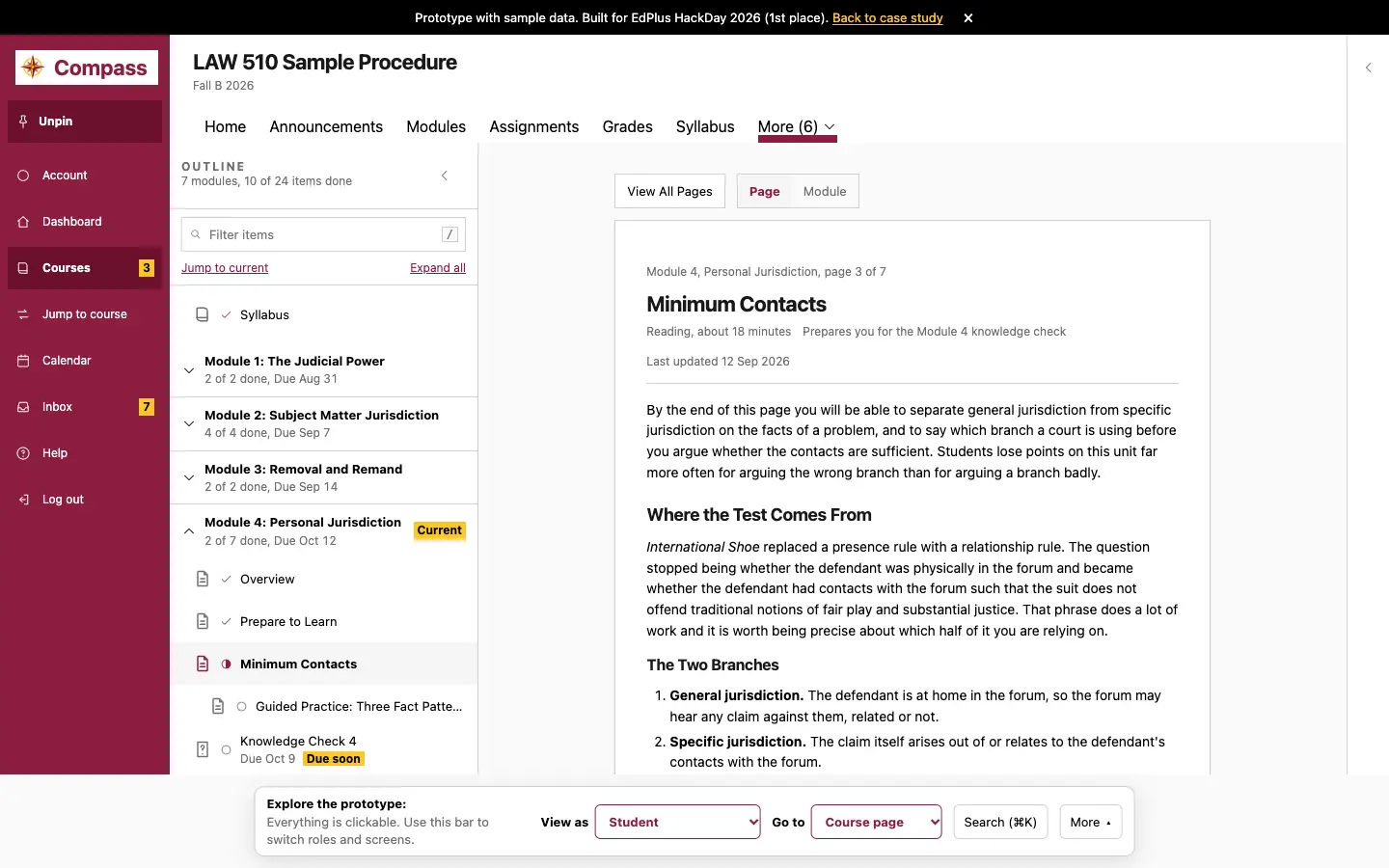
Canvas is hard to navigate for students and staff. Students cannot see in one place what they owe this week. Finding what is due takes about eight tabs, and some deadlines appear only inside the instructions, such as “initial post by Wednesday.”
What I Did First
Before building, I set a success target to cut the clicks it takes to find a course, a page, or an assignment from an estimated 10 to 12 to fewer than 5. The judges scored five criteria: time saved, a real problem, a working or convincing demo, a scope buildable in a 2-week sprint, and smart use of AI. I led development. A product manager owned the scope cuts and the pitch. A student tester walked us through his Canvas pain points, which shaped the features we built, and checked every screen.
What I Built
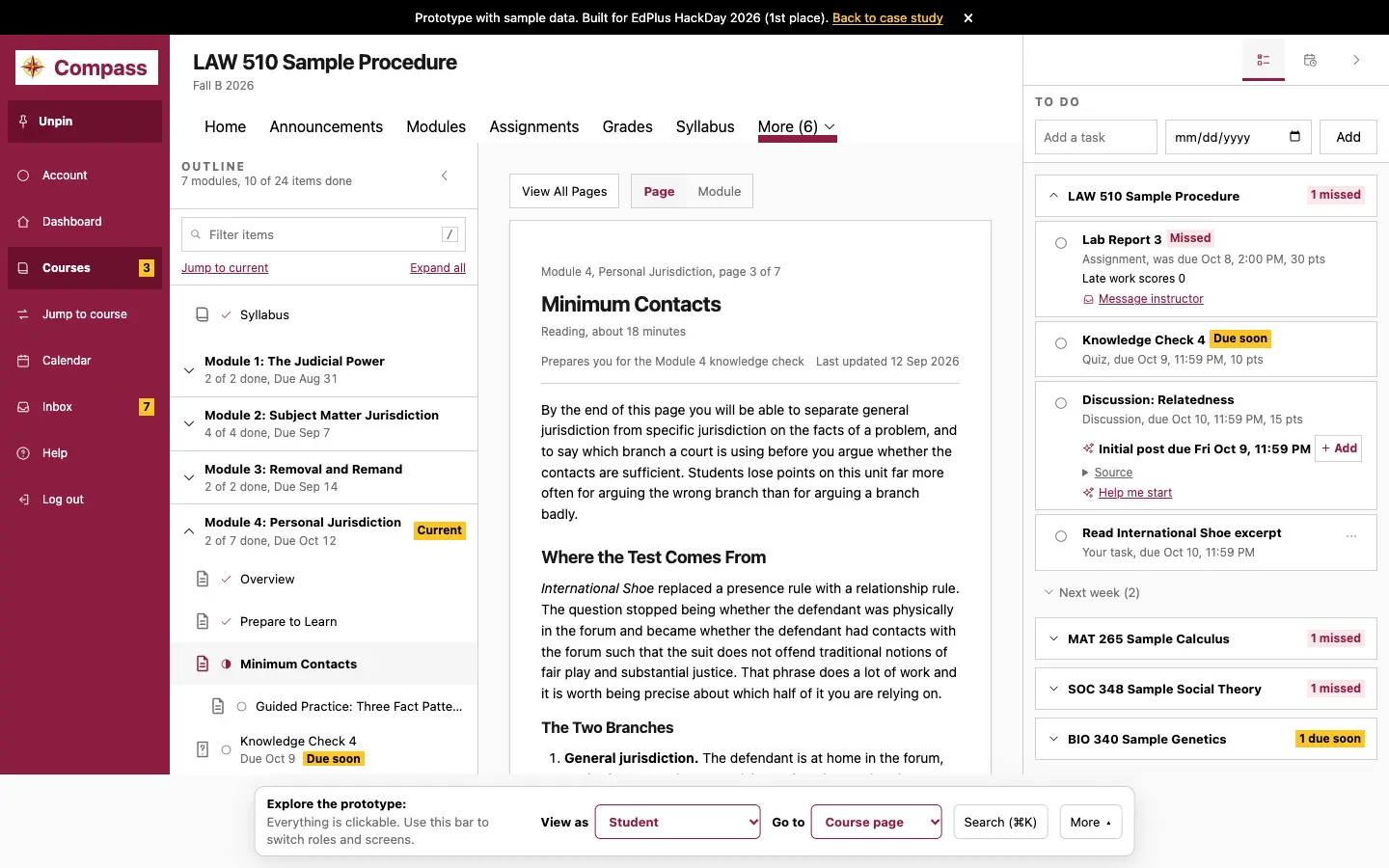
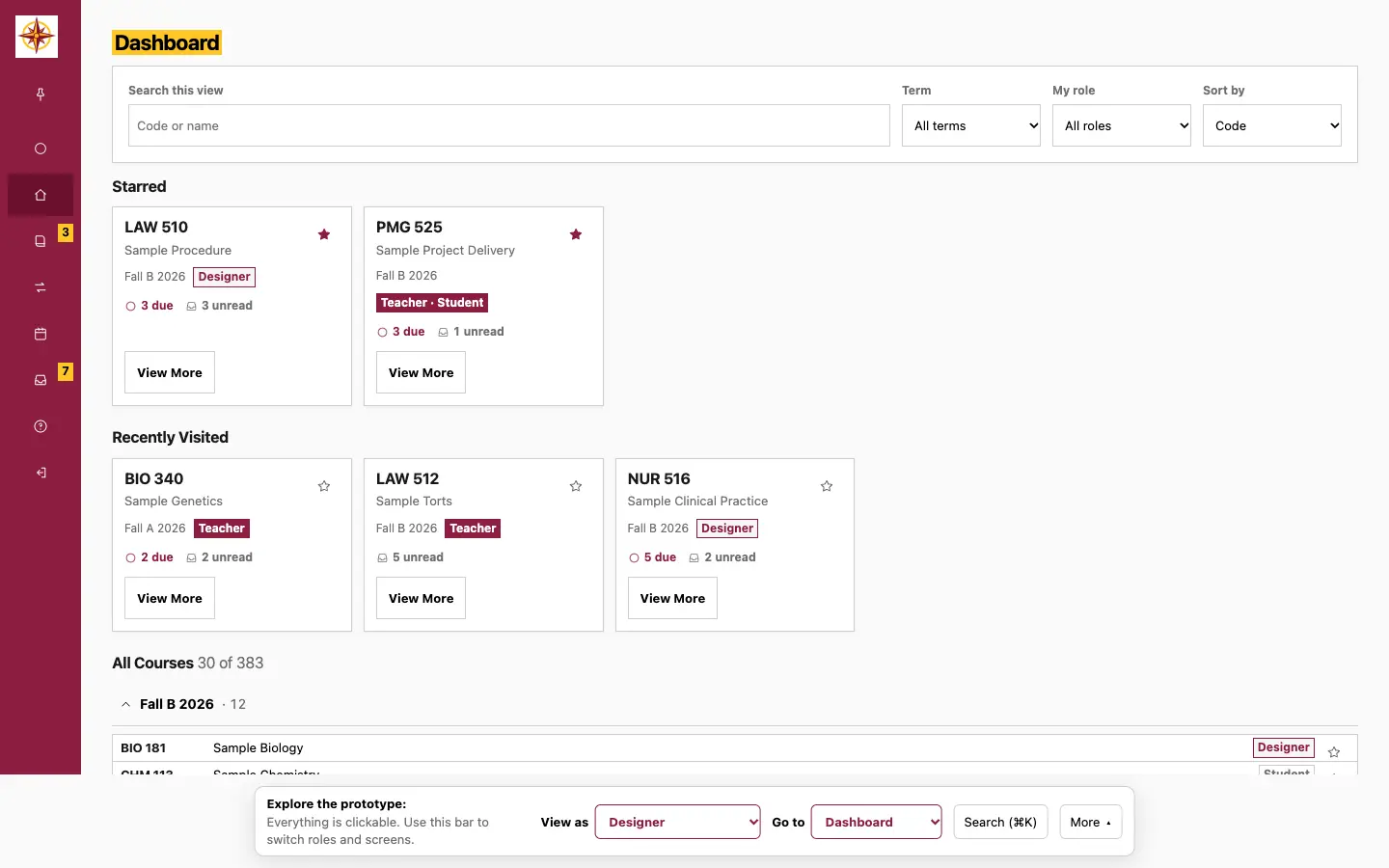
A Chrome extension that restyles ASU Canvas for students and course designers. Students get a side navigation bar, a course outline with progress and Current and Due soon tags, a Jump to course search (Cmd K) with favorites, and a dashboard grouped into Starred, Recently Visited, and All Courses. A To Do panel sorts work into Missed, Due soon, and This week, lets students check items off with Undo, and shows the late policy on missed work.
The Hidden Deadline Finder reads instructions and the syllabus, lists interim deadlines with the sentence it found them in, and offers an Add button. It never changes Canvas dates. In the full extension, Prioritize reorders the week and gives a one-line reason. The extension discards any AI answer that cannot quote a real source. The AI sees course content only. It does not see grades, submissions, or names.
Course designers get a Course Health check on 15 rule-based SCOUT criteria, with review, Apply, and Undo. For accessibility, the extension supports keyboard focus, reduced motion, and a skip link.
I built it with a multi-agent workflow, a team of AI agents that each play one role. Student, faculty, and instructional designer agents informed each user-facing feature and its scope, and a UI/UX agent reviewed the tests for those features. Systems design and senior software engineer agent teams planned, built, tested, and verified the behind-the-scenes code. I was the final reviewer and approved a change only after all tests passed.
What Came of It
Compass won 1st place at EdPlus HackDay 2026, one of three theme winners among 23 teams. EdPlus executive leadership, including the CEO, the incoming CEO, and the Chief Product Officer, recognized the prototype and expressed interest in bringing it to production. EdPlus leadership will decide the next steps. I have kept developing it since HackDay.
Scope and Limits
Compass is a prototype that runs on sample data. No students or designers use it yet, so no one has measured the click target or any time savings. The 10 to 12 click baseline is my estimate, and any click count from the prototype applies to the demo only.
More systems, and the learning experiences behind them.
or write directly to brent.michael670@gmail.com